The physical volume knob for Sonos
knobeast is a minimalist, physical volume dial for any Sonos system, with no phone or tablet needed. Everyone in the family can use it. It shines when part of your setup is analogue or not Sonos: a Sonos Port with a turntable, an amplifier or Bang & Olufsen speakers, or a Sonos Amp driving ceiling speakers.
No phone or tablet · No cloud · Table or wall · Your colours · Open source
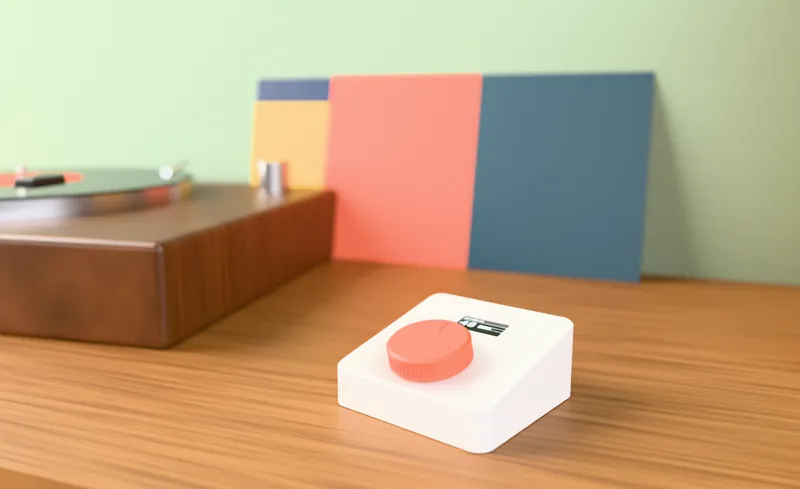
Volume shouldn’t live inside an app.
You drop the needle on a record wired into your Sonos Port, it’s loud… and you have to find your phone, unlock it, open the app and find the room. With a Port, an Amp or ceiling speakers there is no volume button within reach.
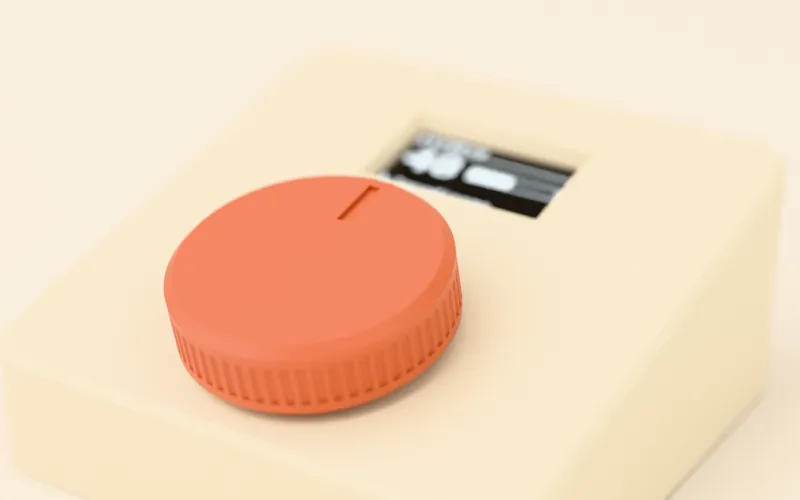
- A big dial that feels real: turn it and the volume changes instantly, one step at a time.
- Press to pause or resume. Hold for the menu.
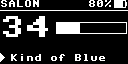
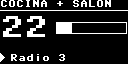
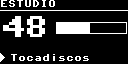
- A screen showing the room, the volume and what’s playing.
- For the whole family and your guests: nobody needs the app.
Who is knobeast for?
Any Sonos system. It makes the biggest difference where today the only volume control is your phone.
Turntables, CD players and analogue sources
Plug your turntable (with its phono stage), CD player or cassette deck into a Sonos Port and play it all over the house. knobeast adds the volume control the Port is missing.
Bang & Olufsen, Genelec, KEF… on a Port
If your Beolab or other active speakers are fed by a Sonos Port with variable output, knobeast becomes their physical volume knob.
Ceiling and in-wall speakers
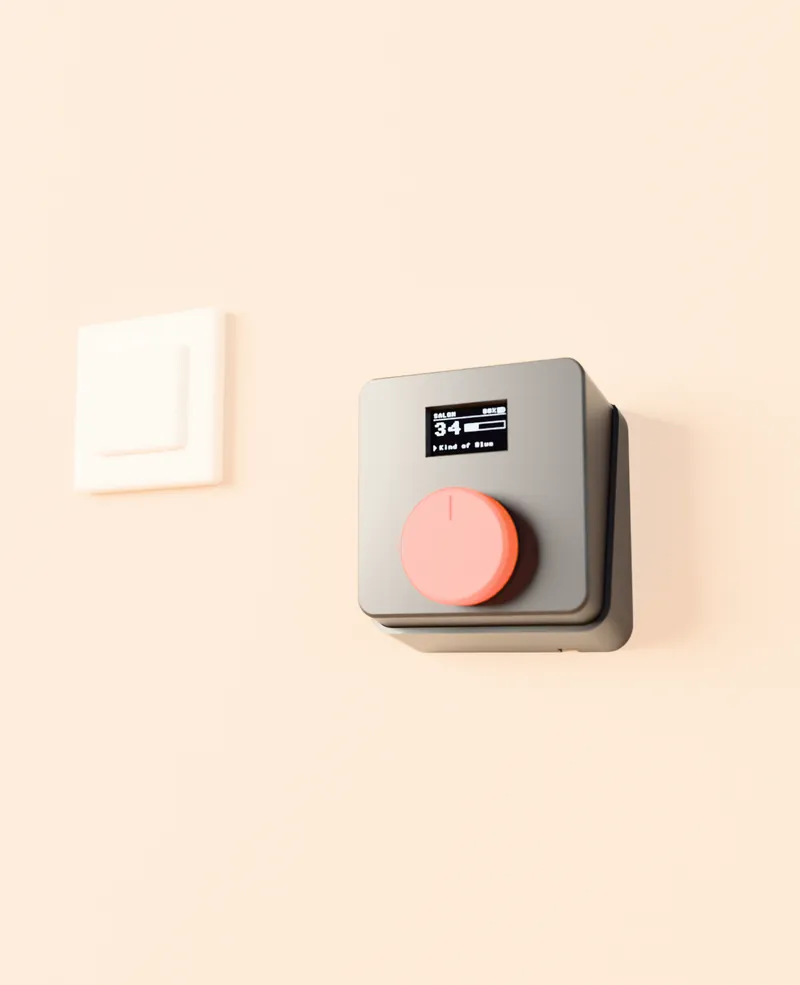
Kitchens, bathrooms, terraces: built-in speakers with no controls at all. Put a knobeast on the wall next to the light switch and anyone can turn the music up or down.
Your trusty hi-fi
Leave the amplifier at a comfortable fixed level and control the Sonos Port’s volume from knobeast — with a configurable maximum volume to protect your speakers.
A second control, in another room
All-Sonos setup? knobeast adds a control point wherever you need one: by the door, next to the sofa or in the bedroom, for one speaker or a whole group.
A beautiful object, no screens to learn
Kids, grandparents or guests: anyone understands turning a dial. And we print it in the colour that suits your home.
How it works
knobeast joins your Wi-Fi and talks directly to your Sonos speakers inside your home. No accounts, no cloud, nothing to install.
Connect it to your Wi-Fi
The screen shows a setup network with its password and a QR code. Scan it with your phone or connect from a computer and pick your Wi-Fi.
Choose what it controls
On the knob itself, pick one or more speakers or groups: the living room, the kitchen, the Port with the turntable… Pick several and it acts on all of them.
Turn and press
Turn for volume, press to pause. The screen dims when idle and wakes when you touch it.
Local & private
Works on your local network. Sends no usage data and needs no account.
Multi-room
Single speakers, Sonos groups or several rooms at once.
Secure
Unique setup password per device and signed updates.
Your language
English, Spanish, French, German, Italian and Portuguese.
On a table or on the wall
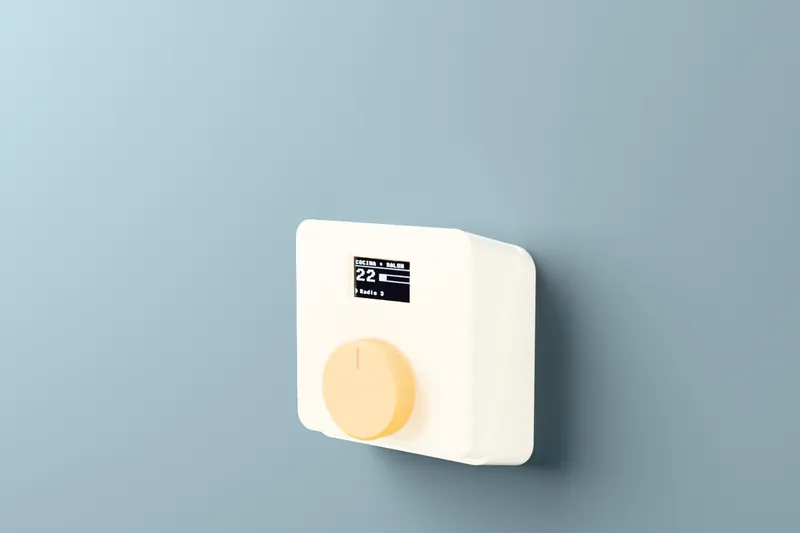
On a sideboard it sits at an angle, easy to see and to turn. With the wall bracket, which cancels out the angle, it sits flat like one more switch. The case drops into the bracket and magnets hold it — it lifts out by hand.
The cable, hidden
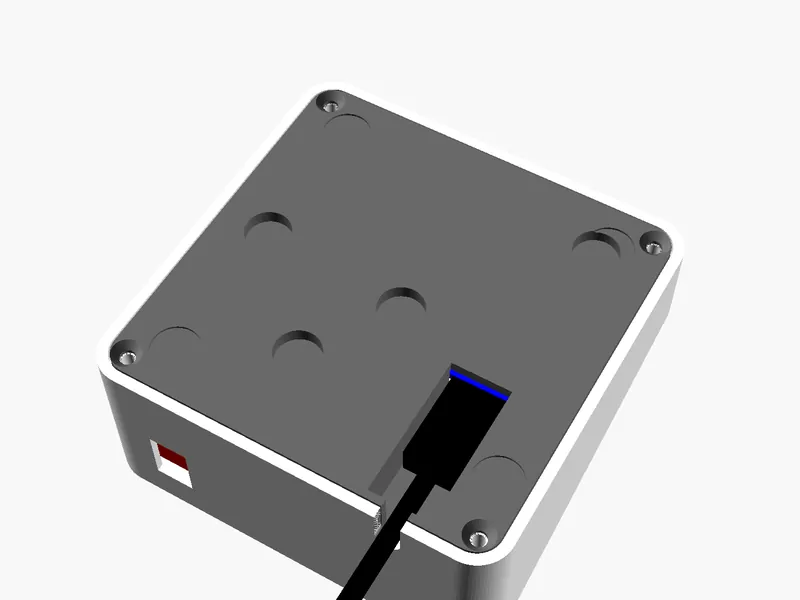
The USB-C socket sits underneath, in a slot: the plug goes in from below and slides home. On a table the cable leaves from the back, flush with the surface. On the wall it runs through the bracket and down the wall, or into the wall box.
Prefer no cable at all? It can take an internal rechargeable battery.
Yours, in your colours
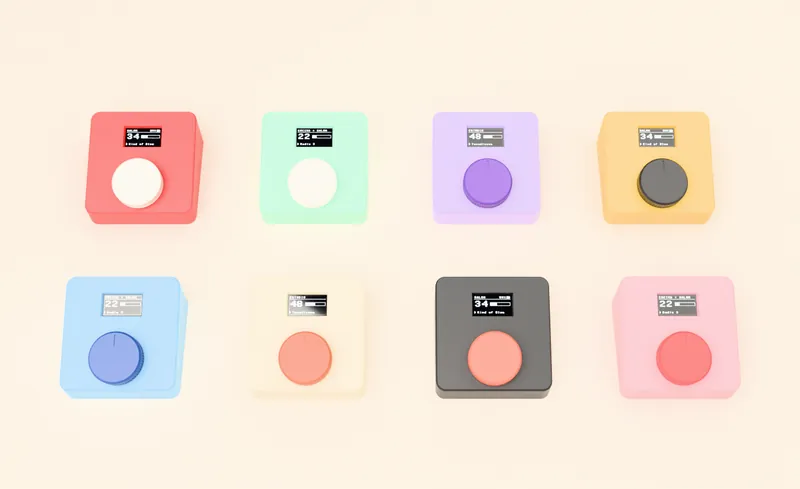
Every knobeast is 3D-printed in PLA. Choose the colour of the case, the knob and the wall bracket.
Case
Knob
Illustration only: the real shade of each PLA may vary slightly. If you want a colour that isn’t listed, just ask.
Order by email · €149Online store coming soon: for now, orders by email to hello@knobeast.com.
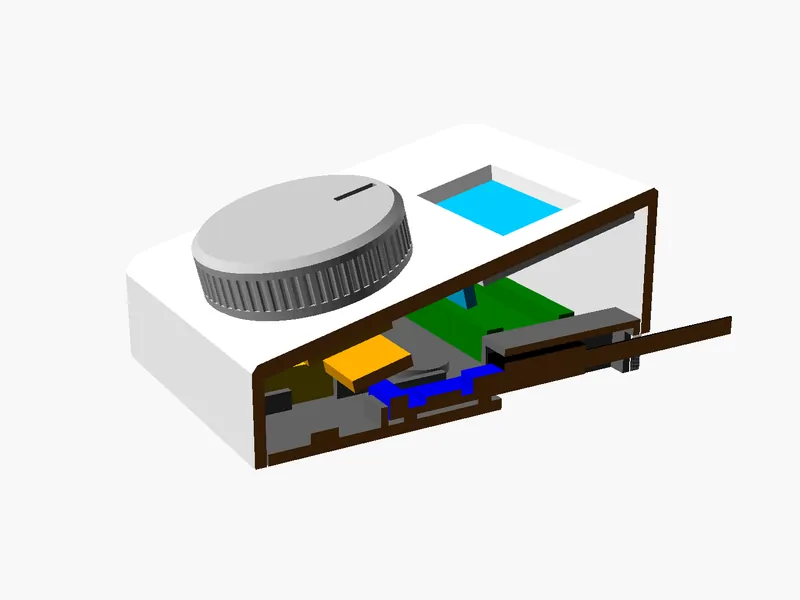
Build it, improve it, share it.
knobeast is an open project: the software, the case and the wiring can be downloaded so you can make your own. And if you come up with something better, the community can bring it to everyone.
- Common parts: Raspberry Pi Pico 2 W, KY-040 rotary encoder, 1.3" OLED display and, optionally, a USB-C charger and LiPo battery.
- Printable case: STL files and an editable OpenSCAD design.
- MicroPython software with automatic recovery if a version fails. New features land on GitHub and you install them whenever you like.
What it could become
Today it controls Sonos volume. With the community’s help the same knob can grow: favourite stations and playlists, home scenes, other audio or smart-home systems… The dial and the screen are there; the ideas are open.
Firmware under GPL-3.0, hardware under CERN-OHL-S-2.0 and documentation under CC BY-SA 4.0.
Get yours
Two ways, the same knobeast.
VAT included
- knobeast assembled, flashed and tested: no soldering, no coding.
- Case, knob and wall bracket printed in the colours you choose.
- USB-C powered. Optional rechargeable battery.
- Automatic updates included.
Online store coming soon. Meanwhile we take orders by email at hello@knobeast.com: we’ll reply with the delivery time and how to pay.
Order by email · €149Free, with your own hands
Download the software and the case, buy the parts, solder a few wires and print the case. Step-by-step build guide included. You install updates yourself from GitHub; automatic updates come with the ready-made kit.
Download on GitHub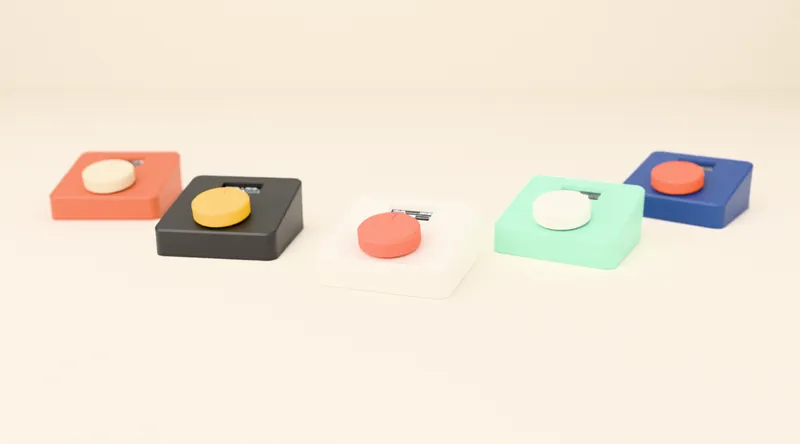
Specifications
| Compatibility | Sonos speakers on your local network: Port, Amp, Era, Five, Arc, Beam, Ray, One and others. Single speakers or groups. |
|---|---|
| Controls | Push dial: volume (step of 1, 2, 3 or 5), pause/resume, menu. |
| Display | 1.3" OLED: room, volume, now playing, battery. Configurable dimming and sleep. |
| Connectivity | 2.4 GHz Wi-Fi. Setup from a phone or computer via QR code. |
| Power | 5 V USB-C. Optional rechargeable LiPo battery. |
| Size | 93 × 93 mm face; 21 mm high at the front, 41 mm at the back. Ø42 mm knob. |
| Mounting | On a table (13° tilt) or on the wall with the bracket (flat), held by magnets. |
| Material | 3D-printed PLA, in the colour you choose. |
| Languages | English, Spanish, French, German, Italian and Portuguese. |
| Security | Unique per-device setup password, signed updates, no cloud or account. Security policy. |
Frequently asked questions
What is knobeast?
A physical volume knob for Sonos: a box with a big dial and a small screen. Turn it to change the volume, press it to pause or resume, and the screen shows the room, the volume and what’s playing. It joins your Wi-Fi and talks directly to your Sonos speakers.
Does it work with Sonos Port?
Yes — that’s what it was born for. The Port has no volume buttons, so with a turntable, a CD player or an amplifier connected you end up reaching for your phone. For knobeast to control the volume, the Port’s line-out level must be set to “Variable” in the Sonos app; with “Fixed”, your amplifier sets the volume.
Does it work with Bang & Olufsen or other active speakers connected to Sonos?
Yes. If your Beolab, Genelec, KEF, Dynaudio or other active speakers are fed by a Sonos Port with variable output, turning knobeast changes the Port’s volume — and therefore your speakers’ volume.
What about a Sonos Amp with ceiling speakers?
Absolutely. It’s one of the best uses: ceiling speakers have no controls at all, and a knobeast on the wall next to the light switch lets anyone at home turn the music up or down without the app.
Do I need the app, an account or the cloud?
No. knobeast talks to your Sonos speakers inside your local network. No account, no cloud, no usage data sent anywhere. It only contacts knobeast.com to check for signed updates, and you can turn that off.
Can it control several rooms or groups?
Yes. You choose on the knob itself which speakers or groups it controls. If you pick several, volume and pause act on all of them at once. You can also set a maximum volume.
How do I set it up?
On first start the screen shows a setup Wi-Fi network with its password and a QR code. Scan it with your phone or connect from a computer, pick your Wi-Fi (2.4 GHz) and you’re done. Every knobeast has its own fixed, unique setup password.
Does it need batteries or a plug?
It runs from any USB-C charger. Optionally it can carry an internal rechargeable battery to use it cable-free. On the wall, the cable can run through the bracket and stay hidden.
Is it an official Sonos product?
No. knobeast is an independent project that uses the local control Sonos speakers provide. It is not affiliated with or endorsed by Sonos, Inc.
Can I build my own?
Yes. The parts are easy to find (Raspberry Pi Pico 2 W, a rotary encoder and an OLED display), the case is 3D-printed and the software is open. If you’d rather not solder or flash anything, buy the ready-to-use kit, which also updates itself.
What if Sonos changes something in the future?
knobeast updates itself with signed releases, so it can be adapted without you touching anything. And because it’s open, the community can keep it going too.