Home › A physical volume knob for Sonos Port
A physical volume knob for Sonos Port
The Sonos Port connects your existing gear — turntable, CD player, amplifier or active speakers — to the Sonos system. What it doesn’t have is a volume control within reach. Here’s how to set it up properly and add a real dial.
The problem: a Port has no volume buttons
The Port is a box designed to hide in a cabinet: it has inputs and outputs but no buttons to turn the volume up or down. So even standing next to your turntable, changing the volume means getting your phone out, opening the Sonos app and finding the room. With guests or kids around it’s even worse.
Step 1: line-out set to “Variable” or “Fixed”
This is the first thing to check. In the Sonos app, in the Port’s settings, the line-out level can be:
- Variable: Sonos controls the volume. That’s what you need if the Port feeds active speakers or an amplifier you’ll leave at a fixed level. With this setting knobeast controls the volume.
- Fixed: the Port always outputs full level and your amplifier sets the volume. In this mode neither the app nor knobeast changes that output’s volume.
knobeast detects fixed outputs and leaves them alone, so the other speakers in a group keep responding.
Step 2: turntables and other analogue sources
The Port’s line-in accepts any line-level source: CD player, cassette deck, tuner, a computer… A turntable needs a phono preamp (many have one built in). Once connected, the app can make line-in play automatically in the room you choose when it detects a signal, and you can listen to it on any other Sonos speaker in the house.
From then on, the volume is that room’s or group’s Sonos volume… which is exactly what knobeast controls.
Step 3: amplifier or active speakers
- With an amplifier or receiver: set the Port to variable output and leave the amplifier at a comfortable fixed level. Now everything is controlled from Sonos (and from knobeast). Many amplifiers can be switched on by the Port’s 12 V trigger.
- With active speakers (Bang & Olufsen, Genelec, KEF, Dynaudio…): variable output and you’re done. See our Bang & Olufsen guide.
Step 4: a real volume dial
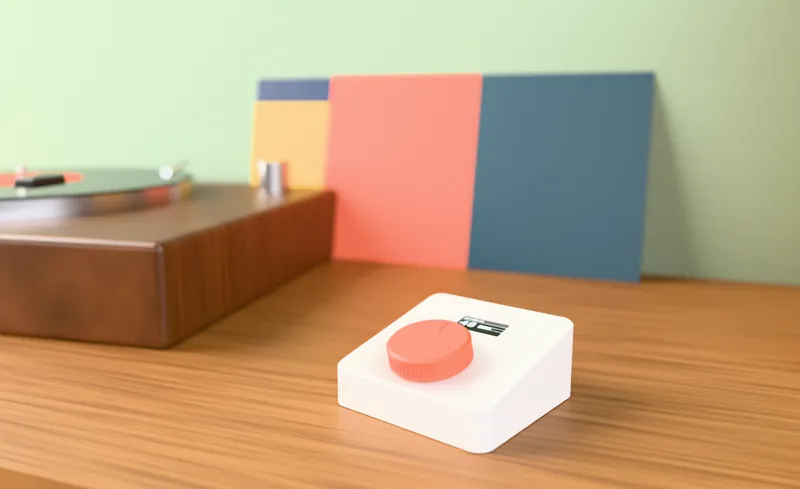
knobeast is a physical volume knob that talks to your Port over your home Wi-Fi, with no cloud and no accounts. Turn it to go up or down (one step at a time, or in steps of 2, 3 or 5), press to pause, and the screen shows the room, the volume and what’s playing. If the Port is grouped with other Sonos speakers, you can control the whole group or just the Port.
- Configurable maximum volume to protect your speakers.
- On the sideboard at an angle, or flat on the wall with its bracket.
- USB-C powered, with an optional battery.
FAQ
Does knobeast change my amplifier’s volume?
Not directly: it changes the Sonos Port’s volume. With the Port on variable output and the amplifier at a fixed level, the effect is the same as turning the amplifier’s volume.
Does it work if the Port is grouped with other speakers?
Yes. You can control the whole group or just the Port. If you pick several separate rooms, they all go up and down together.
Do I need a phono preamp for my turntable?
Yes, unless your turntable has one built in. The Port’s input is line level.
knobeast: the physical volume knob for Sonos
Ready-to-use kit for €149, or build your own: it’s open source.